현재 예제를 통한 컴포넌트 자료 서버 등록은 보안 정책상 사용하실 수 없습니다. 등록은 성공 되더라도 사용자가 업로드한 데이더를 바로 사용할 수 없는 상태입니다. 사용자 자료를 출력하고 싶으신 경우, 직접 파일 서비스를 실행하시어 파일을 로드하는 API 를 사용하시면 되겠습니다.
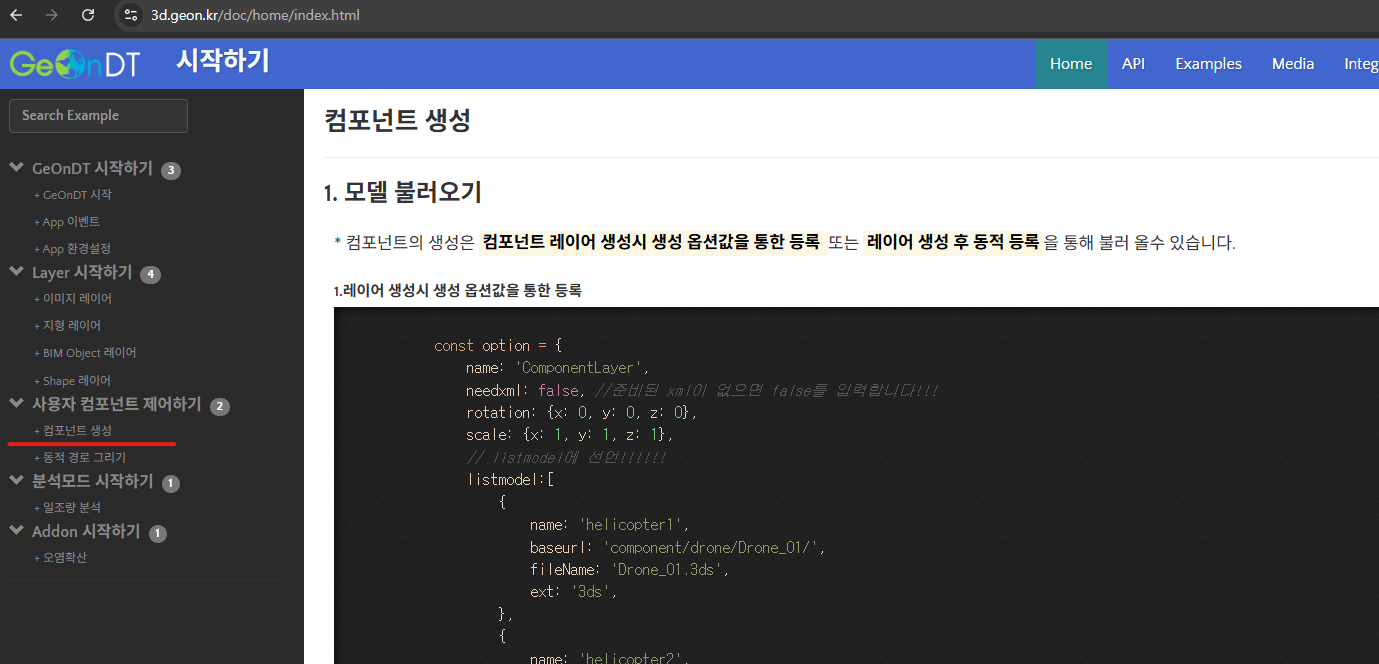
자세한 API 사용법은 https://3d.geon.kr/doc/home/index.html 시작하기 페이지에서 컴포넌트 생성 항목을 확인해보시길 바라겠습니다.
3.UAnalyMultipleComponent 를 사용한 동적 등록 내용
const option = {
name: 'ComponentLayer',
needxml: false, //준비된 xml이 없으면 false를 입력합니다!!!
listmodel:[]
}
//레이어 생성
const layer = app.createMultipleComponentLayer(option);
layer.then(()=>{
app.showLayer( layer.getName(), true );
);
const analy = app.getAnalysis('multipleComponent');
analy.setLayer(layer); // analy를 가져와 생성한 레이어를 등록해야 한다
analy.loadModel({
name: 'helicopter2',
baseurl: 'component/drone/Drone_02/', //파일을 다운로드할 수 있는 url
fileName: 'Drone_02.3ds',
ext: '3ds',
}).then(()=>{
// 비동기 작동임으로 then/ catch 또는 await 구문을 통한 다음 작업을 진행 해야 합니다.
}).catch(()=>{});
|